Results
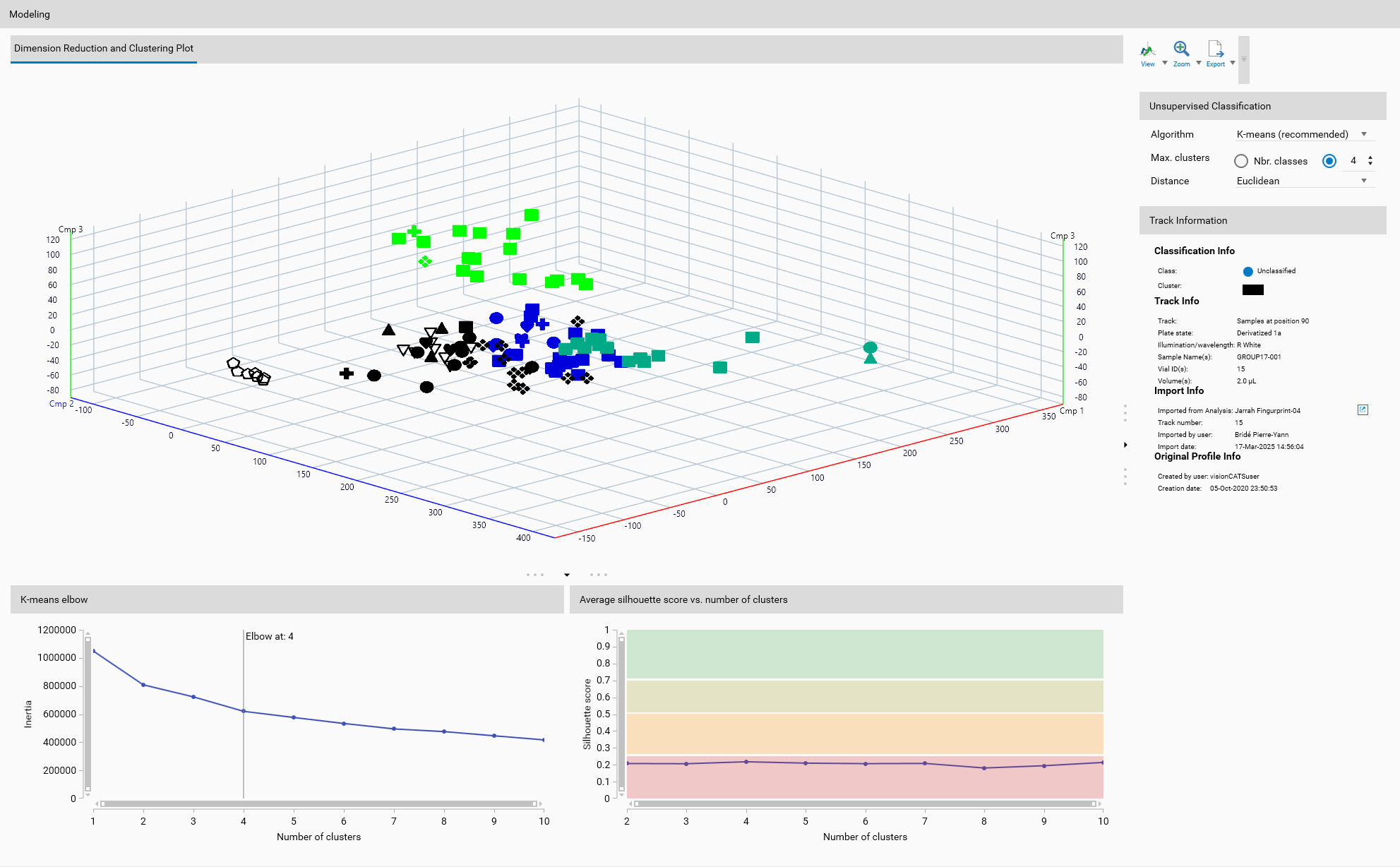
Supervised Classification
One-Class Classification
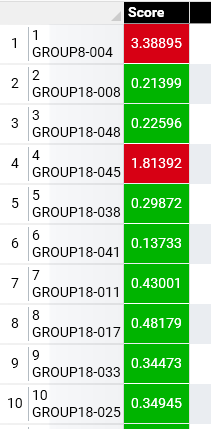
Each track will display the score of the one-class classification, which indicates how well the track fits into the defined class. Any value on the correct side of the threshold will be displayed in green, while values on the wrong side will be displayed in red.
Multi-Class Classification
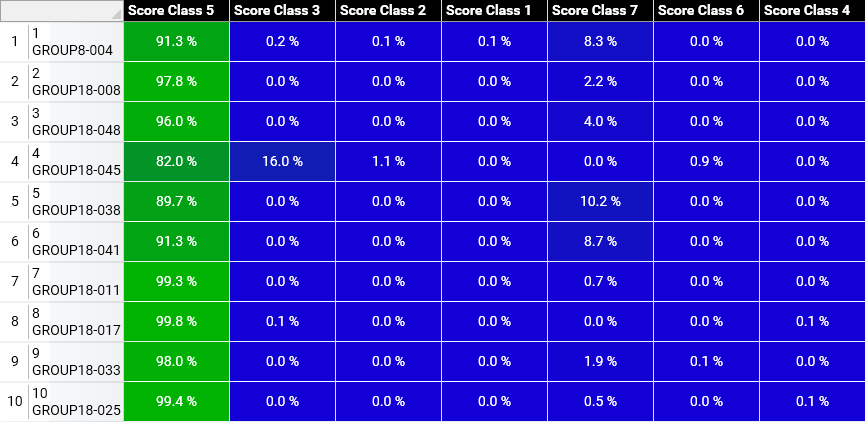
Each track will display the probability of belonging to each class (as defined in Overview). Color coding of probability, range from green (high probability) to blue (low probability), will be used to indicate the likelihood of each track belonging to a specific class.
Unsupervised Classification
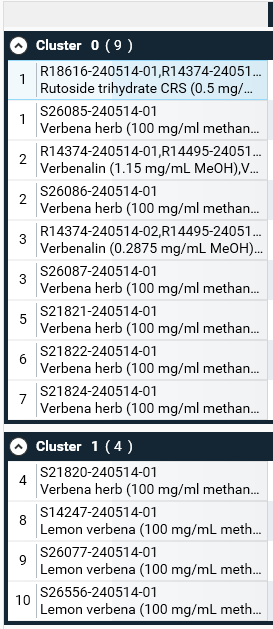
Each track will be assigned to a cluster group, with the cluster number in the group header. As clusters are identified without prior knowledge, the numbering of clusters is arbitrary and does not imply any order or ranking.
Toolbar
 Sort results
The results table can be sorted by different criteria, such as track name, position in comparison, or cluster.
 Filter
The tracks used as references can be filtered out to show only those used as targets in the classification.
 Export to file
The results table can be exported to various formats, such as CSV or JSON, for further analysis or reporting.
Export to file
The results table can be exported to various formats, such as CSV or JSON, for further analysis or reporting.
Track Information
A track can be selected either from the Overview or from the results table. The details of the selected track are then displayed here, like in Track information.